Learners could not see what to do next, or if their resume was ready.
Here is how a learner moved through it
Drop-offs noted in the flow
- Lands on homepage
- Looks for resume builder
- Builds resume
- Tries to apply
personalized signals showing what to do next
clicks before a learner could start
resumes built each week
completed the resume journey
Building a resume meant starting from scratch
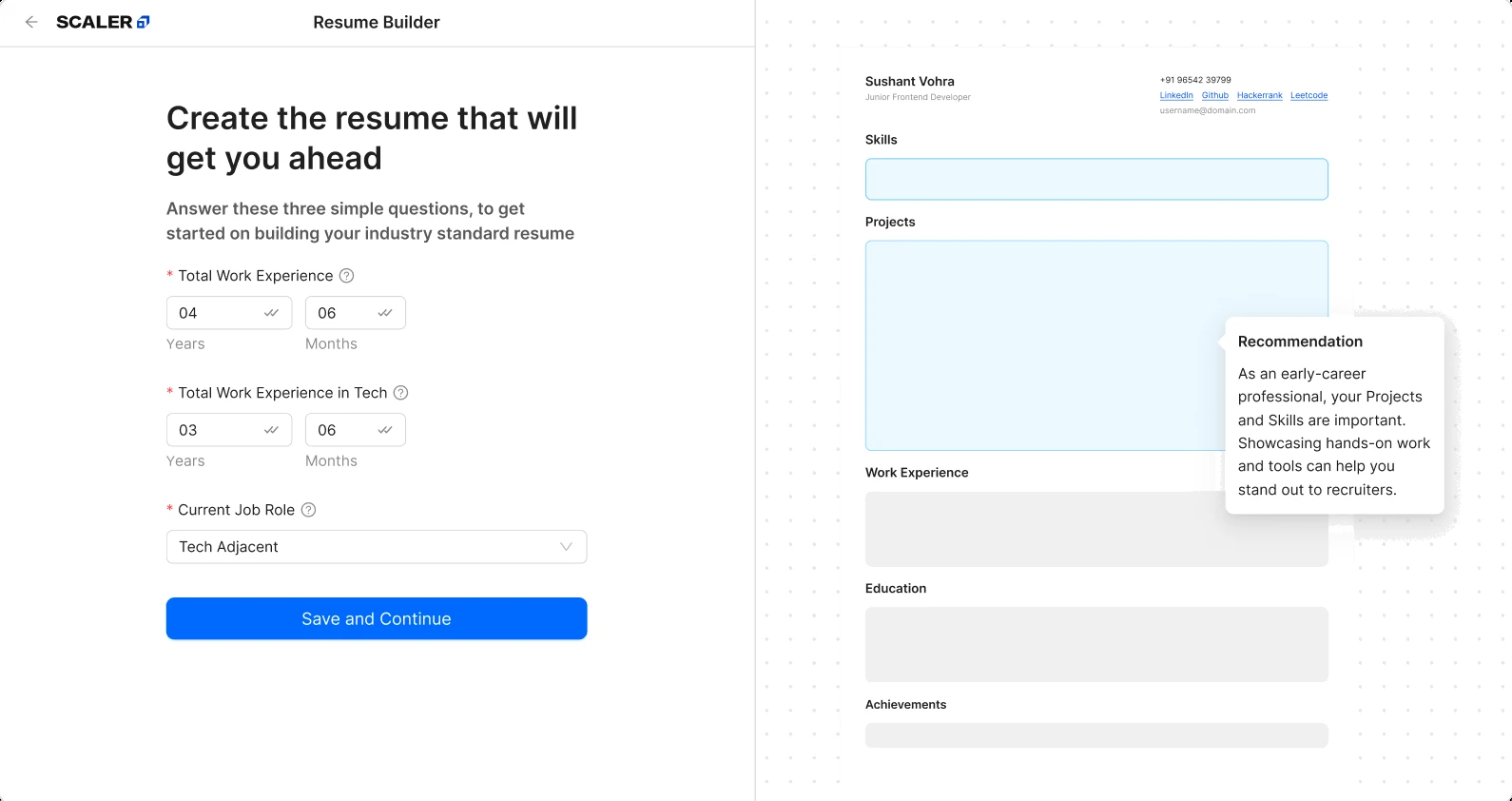
Step 1Add work details
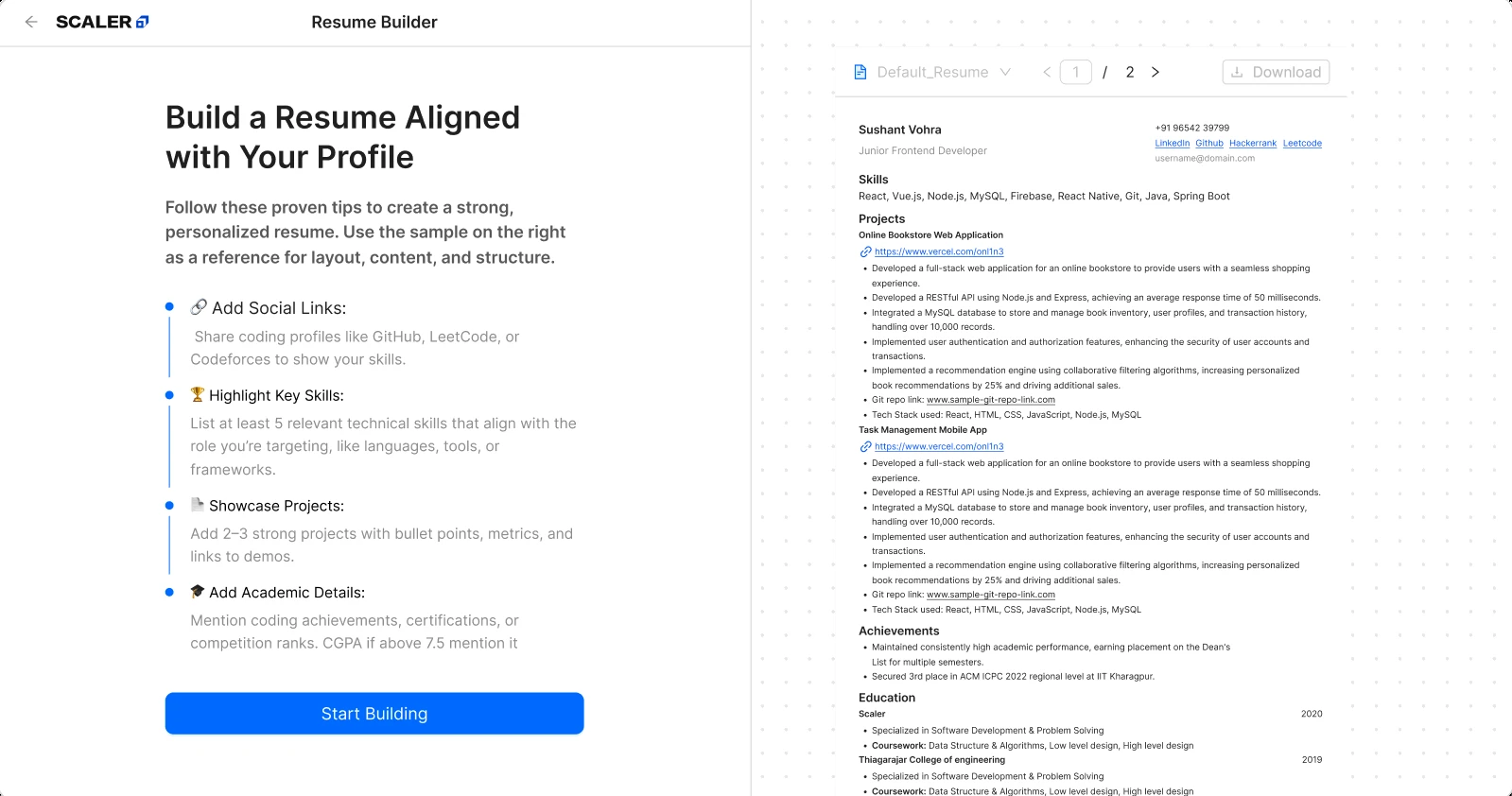
Step 2Read tips and examples
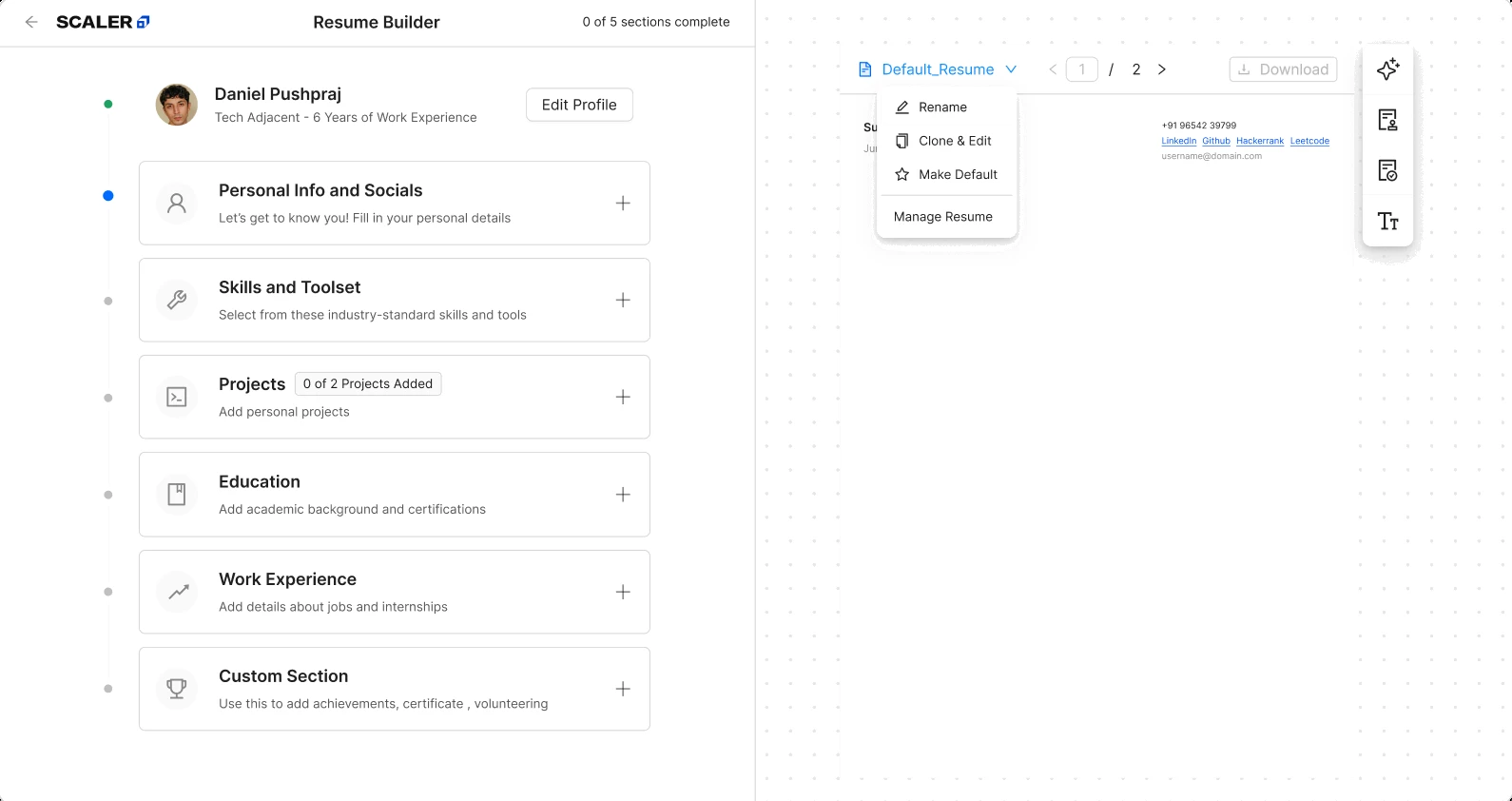
Step 3Fill every section
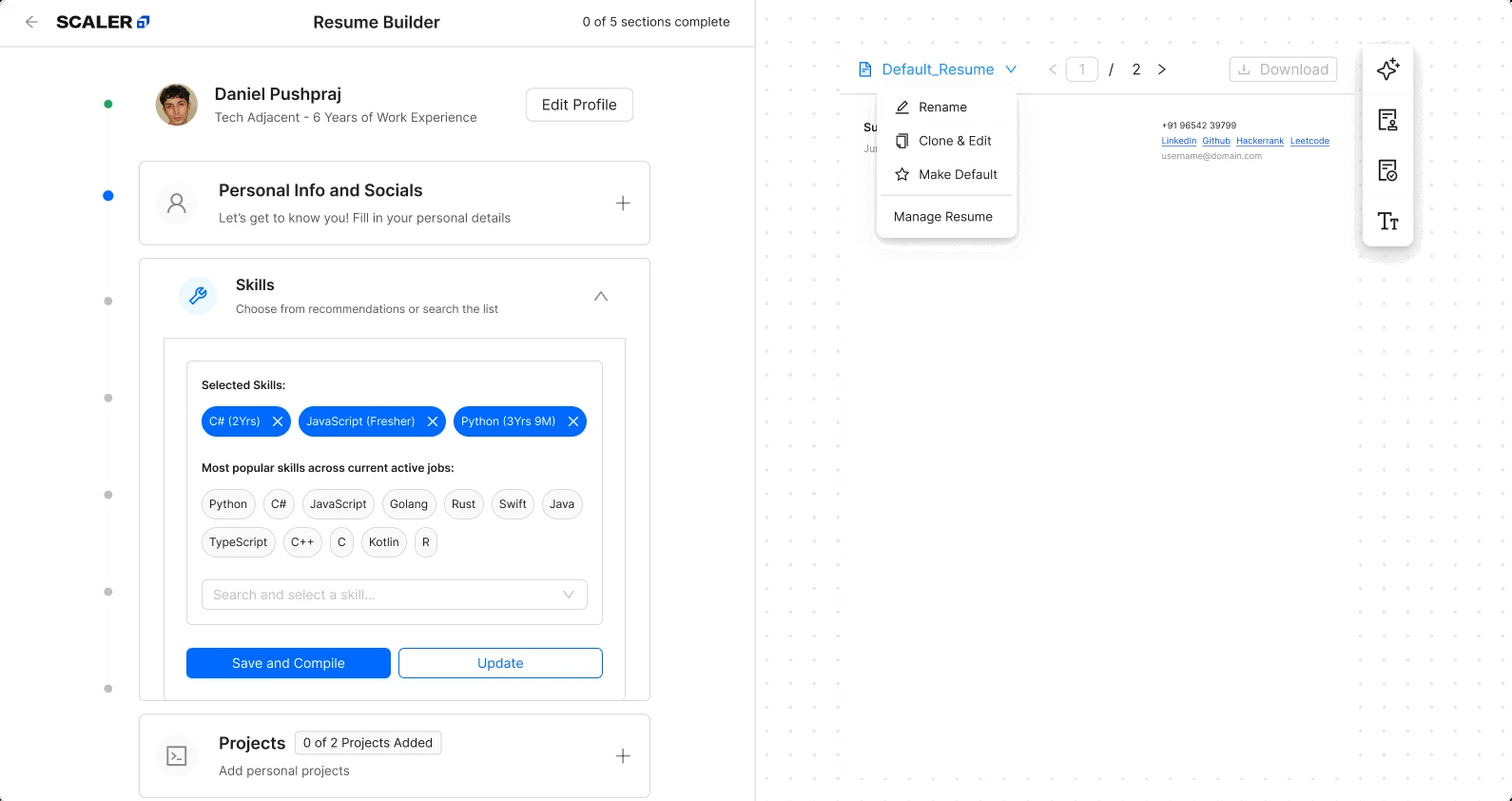
Step 4Save each section
Scroll sideways
Careers Hub should get learners job-ready once their course ends, but many feel stuck and unsure of what to do next because…
- The homepage showed no proof of career-readiness or next step.
- Learners had to search for the resume builder tool because it was hidden under 3 clicks.
- Every section of the resume had to be filled and saved before a resume was considered ready.
So most learners who land on the homepage never reach a finished resume. Before this redesign, only 2.33% completed the journey.
What we thought would fix it
If learners can see how ready they are and start a resume from where they already stand, more of them will finish one.
- Primary
- resume journey completion rate
- Secondary
- resumes built each week
So we went looking for what was slowing people down
-

First we audited the homepage
- The same four requirements for every learner, whatever their progress.
- The builder opened with instructions before any value.
-

Then we read the data
- The funnel showed 74% reached the builder, but only 40% finished its opening form.
- Three barriers: they couldn’t find the builder, a blank page took too much effort, and a finished resume never felt ready.
| Evidence | Decision |
|---|---|
| Zero personalized next-step signals | Readiness checklist Feature 01 |
| Builder sat three clicks deep | Direct homepage entry Feature 01/02 |
| Learners couldn’t tell if a resume was ready | Section-level review Feature 03 |
The work had to fit inside a few hard limits
- Solo, one month
- Research through handoff, alone, with no research support.
- An existing builder, not a blank slate
- A five-section data structure already in production, on Ant Design, to work within.
- One homepage, several jobs to do
- The homepage already did other jobs. Changes had to coexist.
Where the ideas landed, five screens from homepage to a finished resume
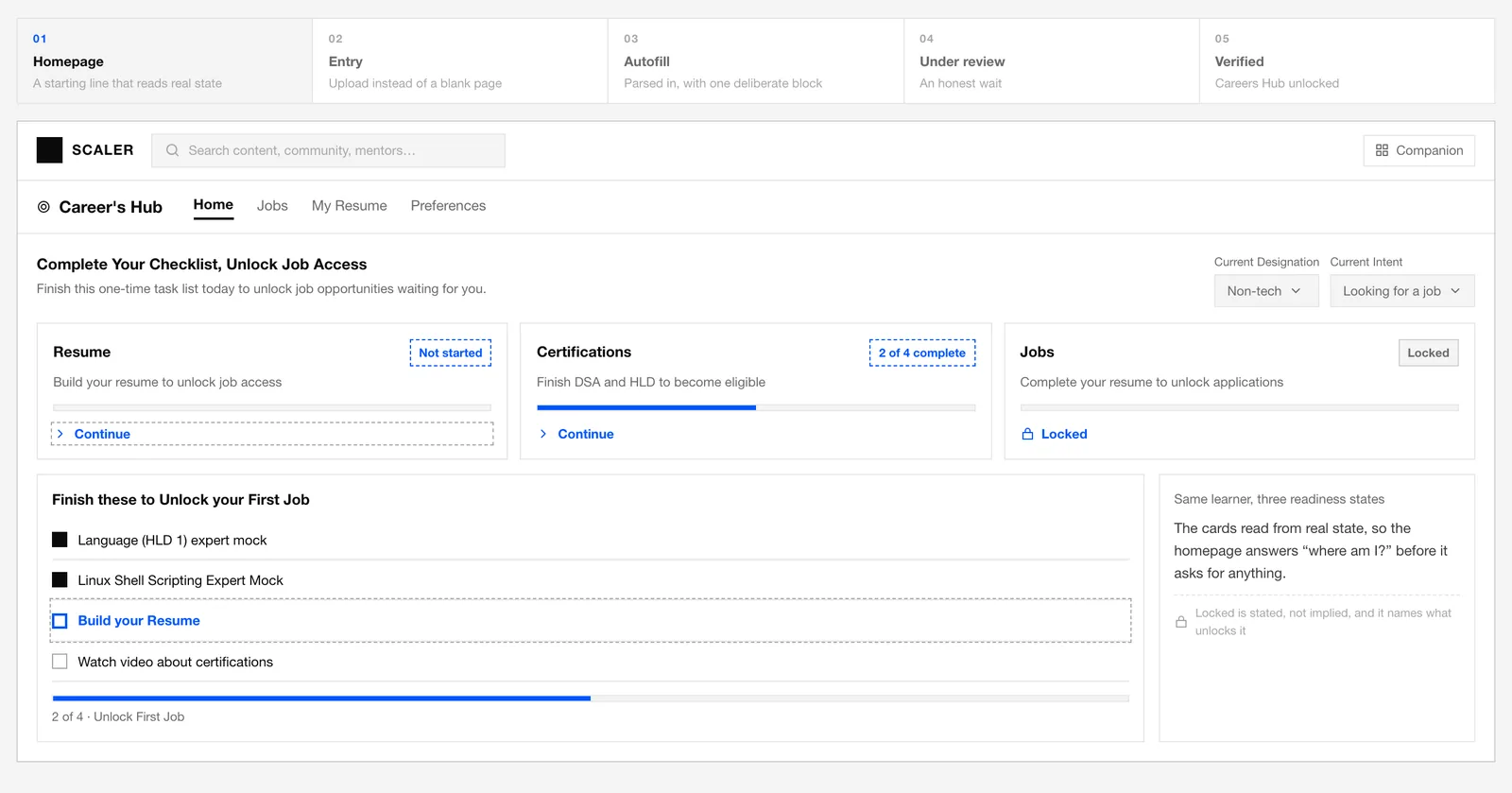
The homepage used to skip both a readiness status and a next step. It shows both now.
I want to see what I’ve already done and what’s next, so that I don’t waste time figuring out where to start.
Readiness at a glance
Make resume building the next step
Shipped
A personalized checklist shows progress, links to the builder, and explains what unlocks job access.

- Checklist reflects actual completion
- Progress tied to a real goal, not just a percentage
- Explains the builder before you click into it
Why status was more useful than a slogan
The same homepage for everyone, showing neither progress nor next step.
Tie each card to the learner’s real progress.
The next action surfaced instead of sitting three clicks deep.
The builder used to sit three clicks deep. Now it’s the very next step on the homepage.
I want to start my resume from what I already have, so that I’m not building it from scratch.
A faster first draft
Upload first, edit second
Shipped
An existing resume or LinkedIn PDF creates the draft. Learners review gaps, then save once.
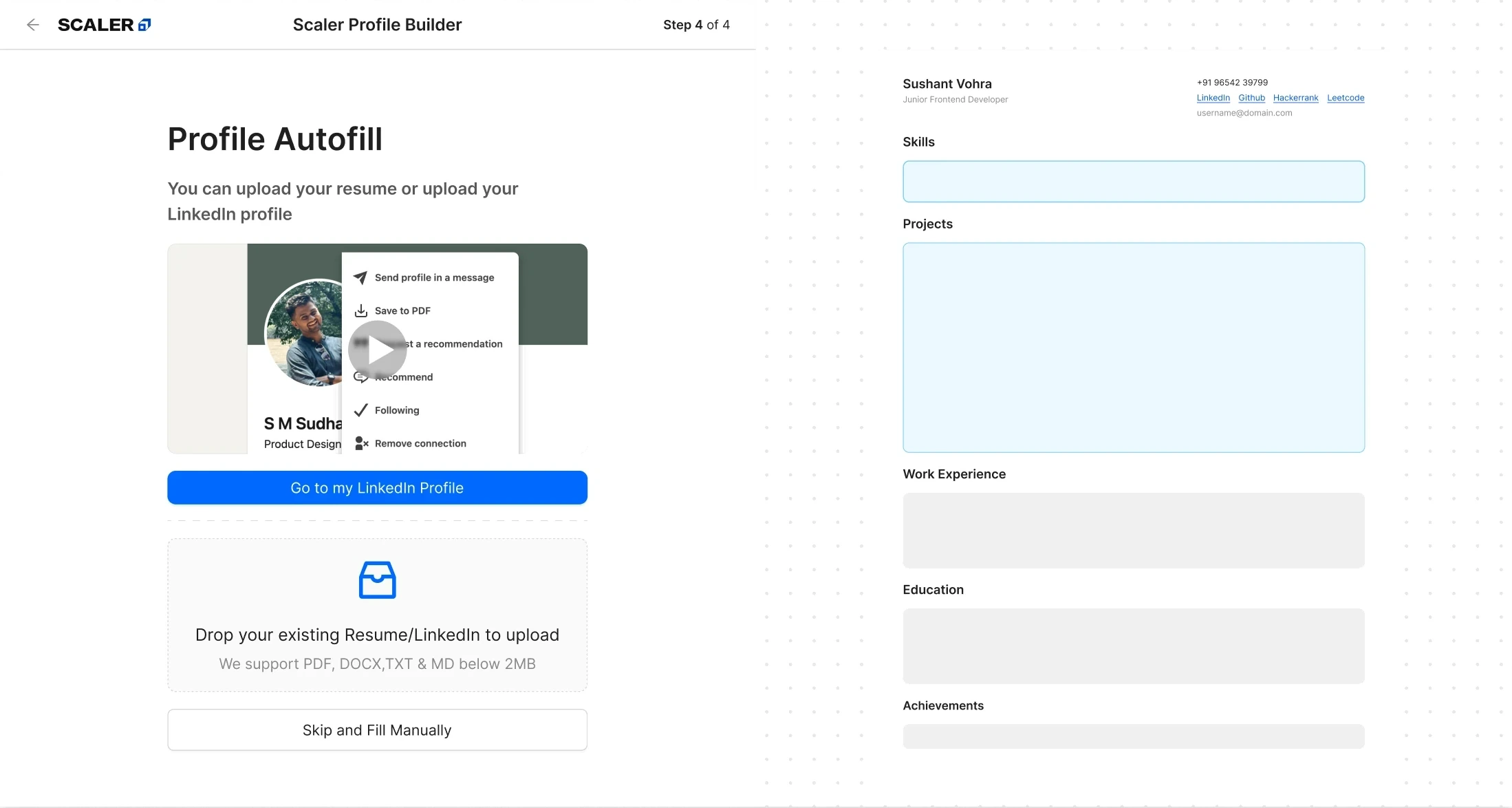
Step 1Upload a LinkedIn PDF or resume
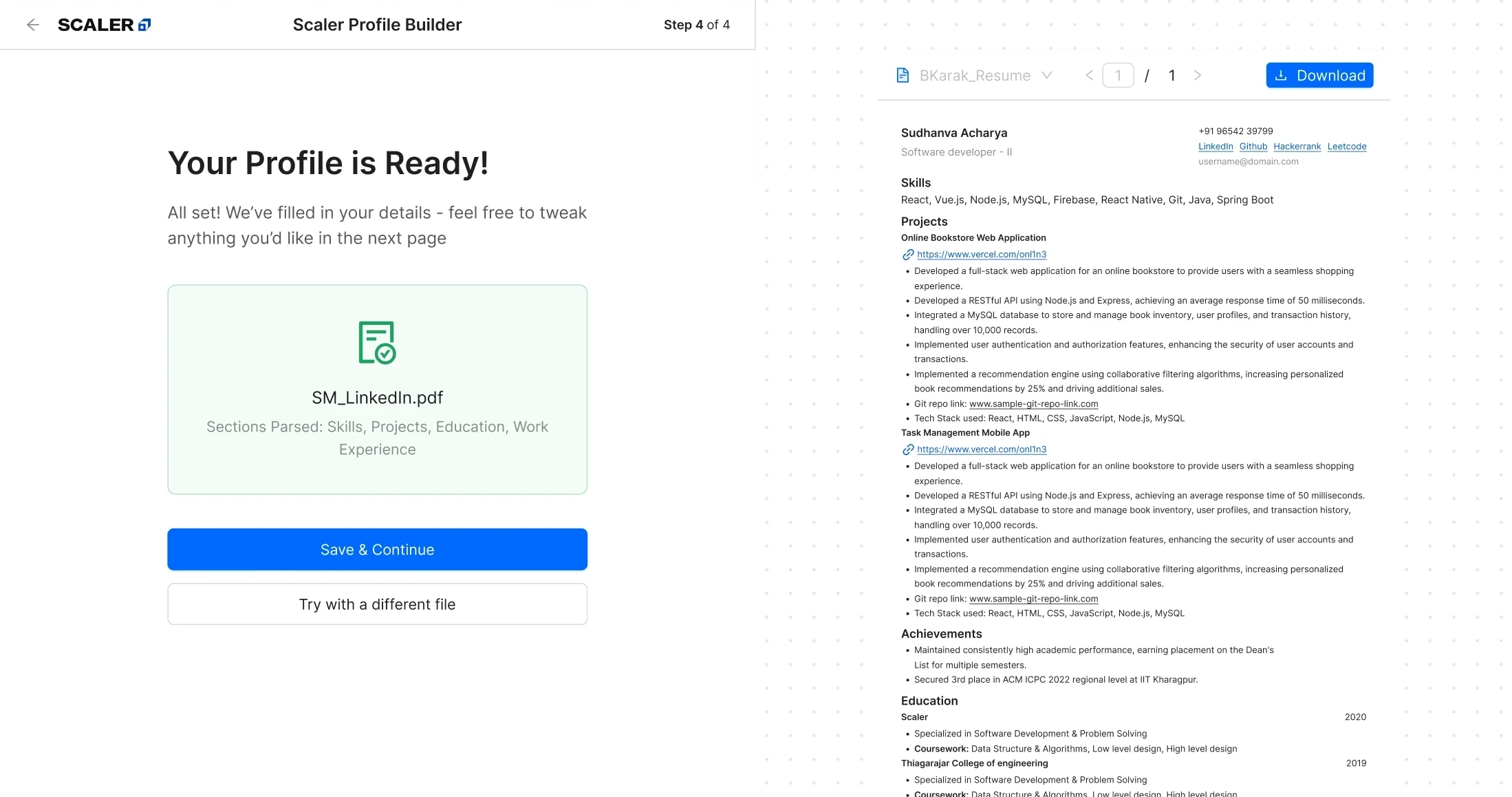
Step 2Read the uploaded file
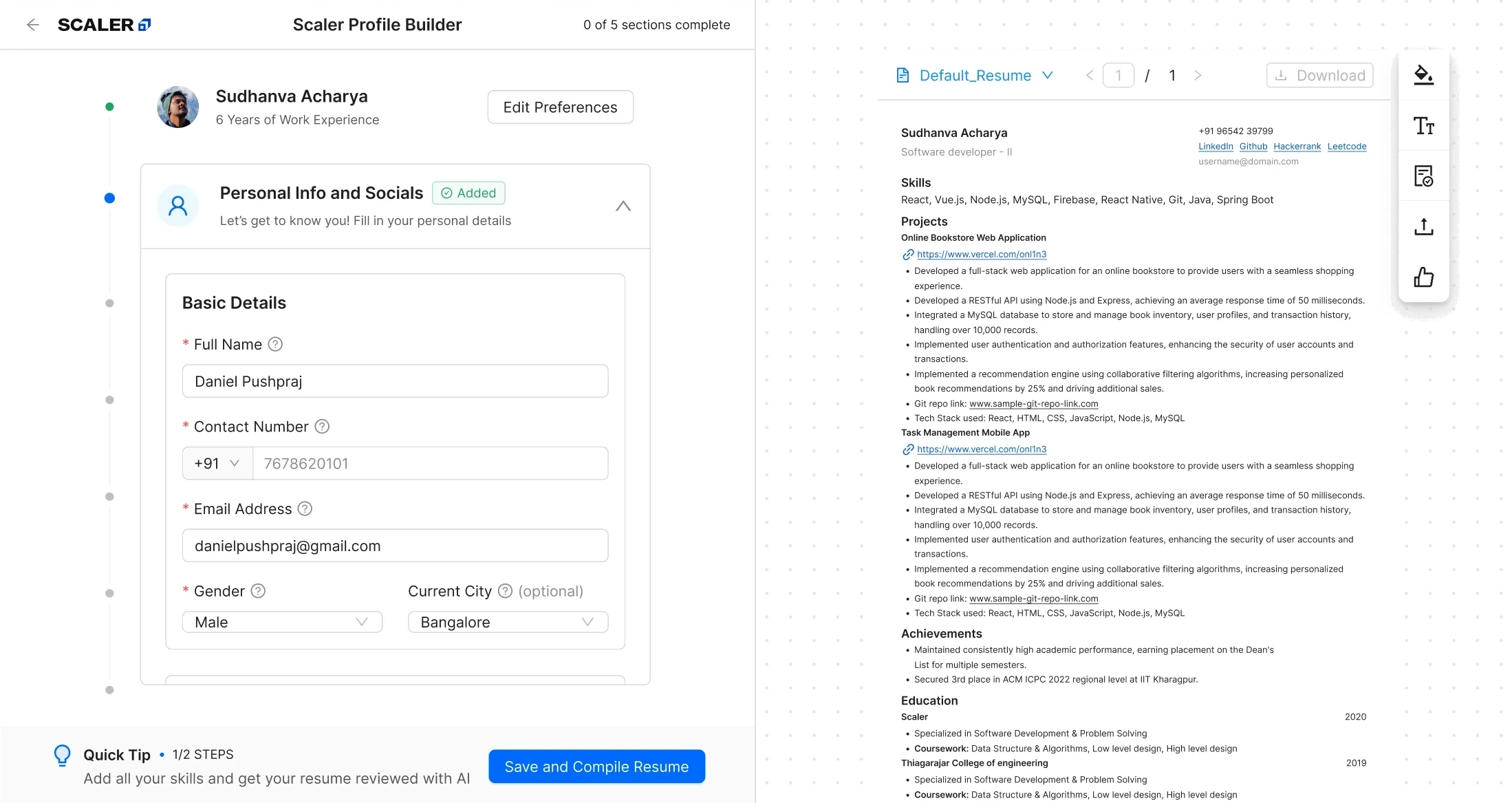
Step 3Fill the resume sections
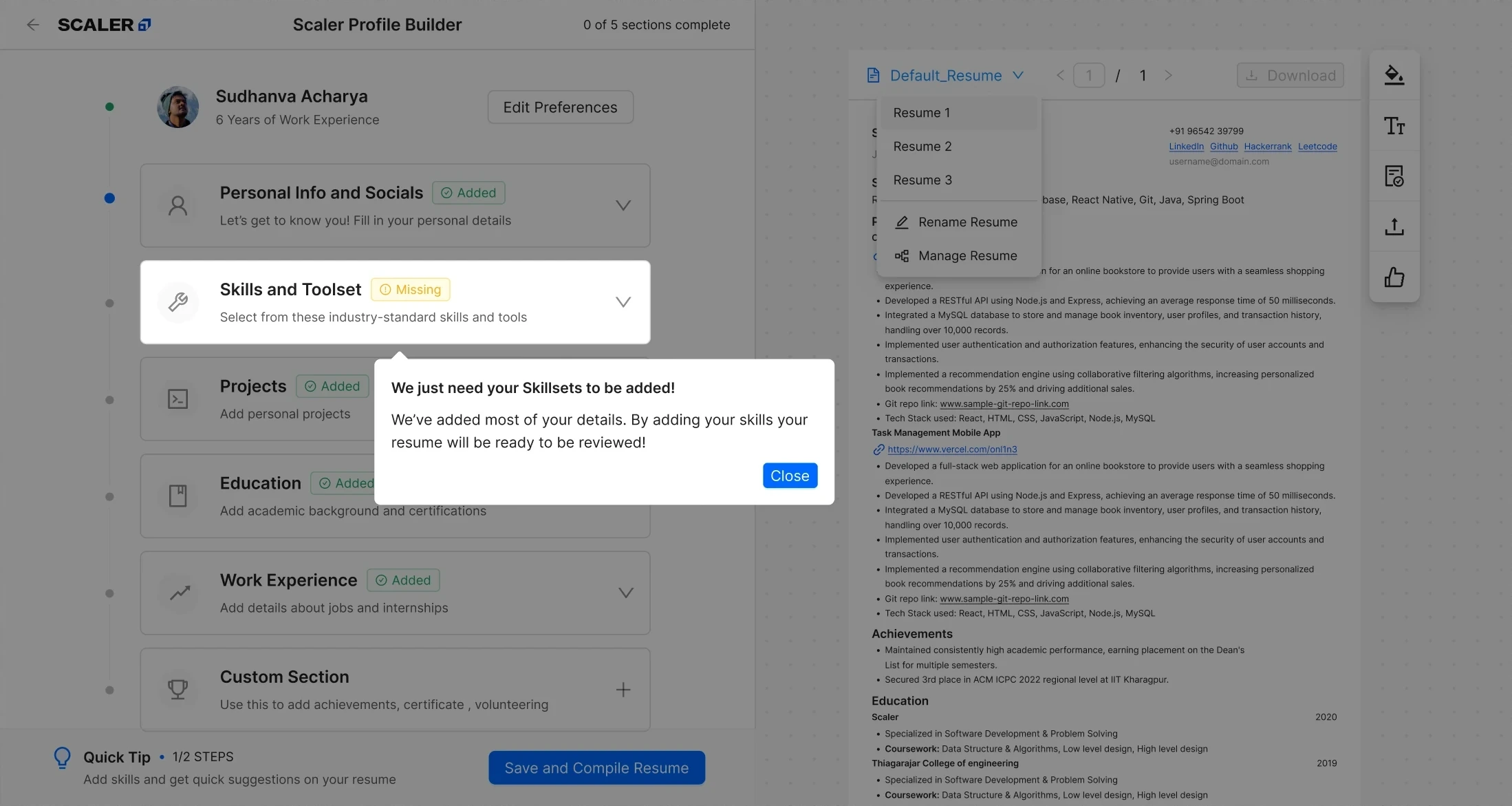
Step 4Flag anything missing
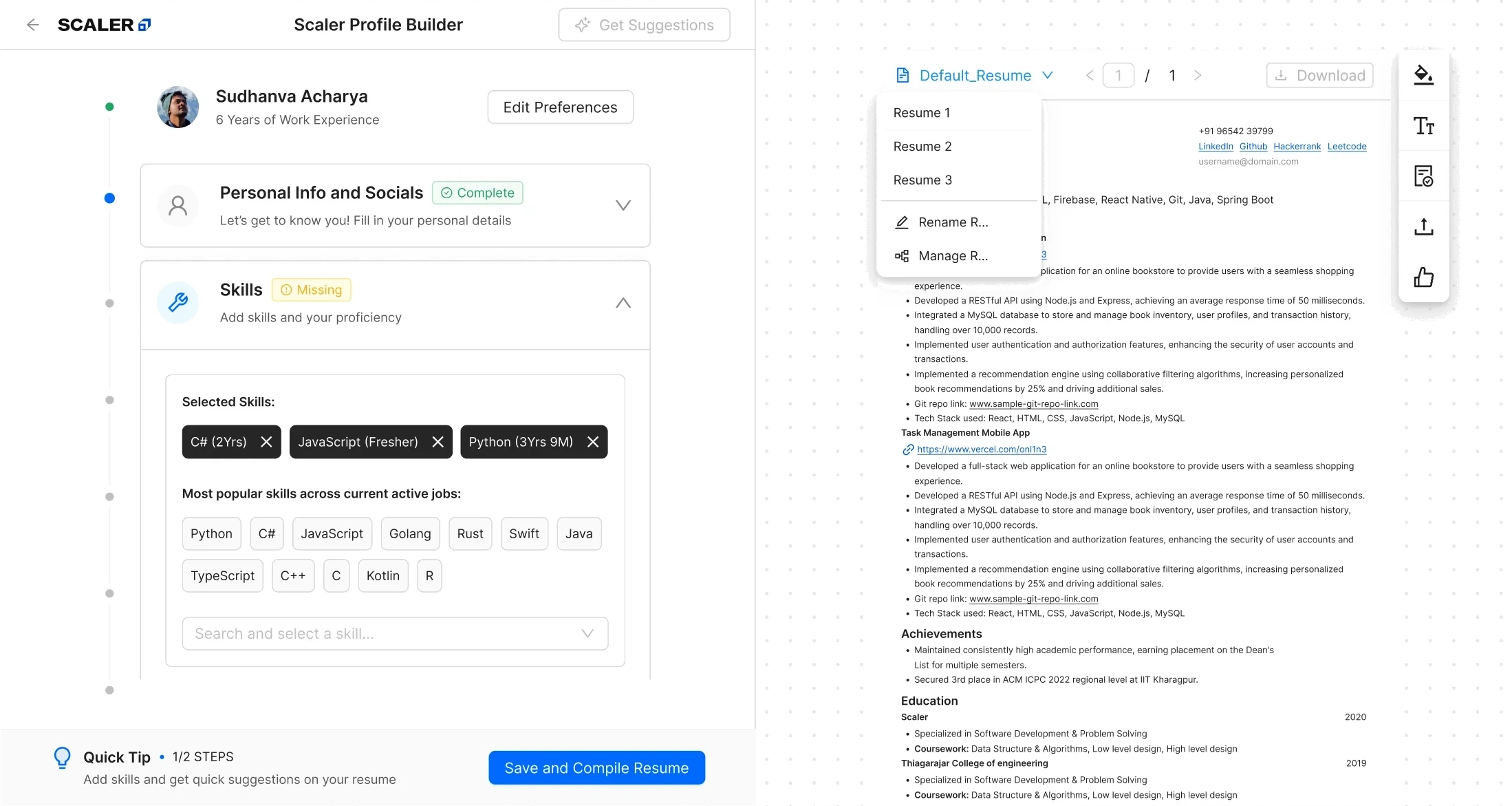
Step 5Save and compile in one click
Scroll sideways
Why the first useful result had to come sooner
Five sections, each saved, before any first draft.
Start from what they already had, not a blank page.
More learners reached a complete resume, part of the 2.33% to 9.5% lift.
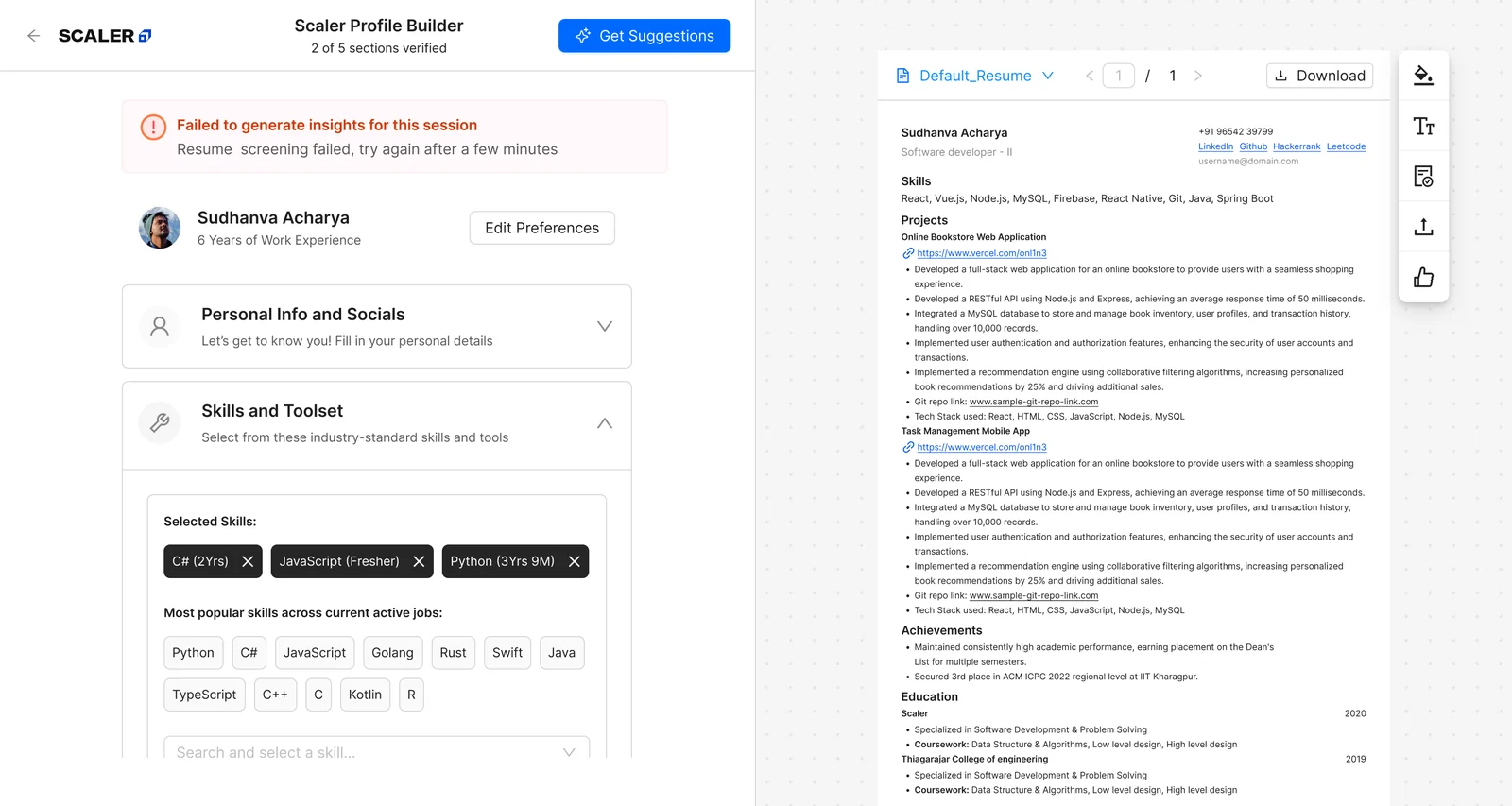
Feedback before sending
AI review before applying
Shipped
Each section is checked, then shows what is missing and why.

37 learners who’d never reached a shortlist used the review unprompted. 23 went on to apply.
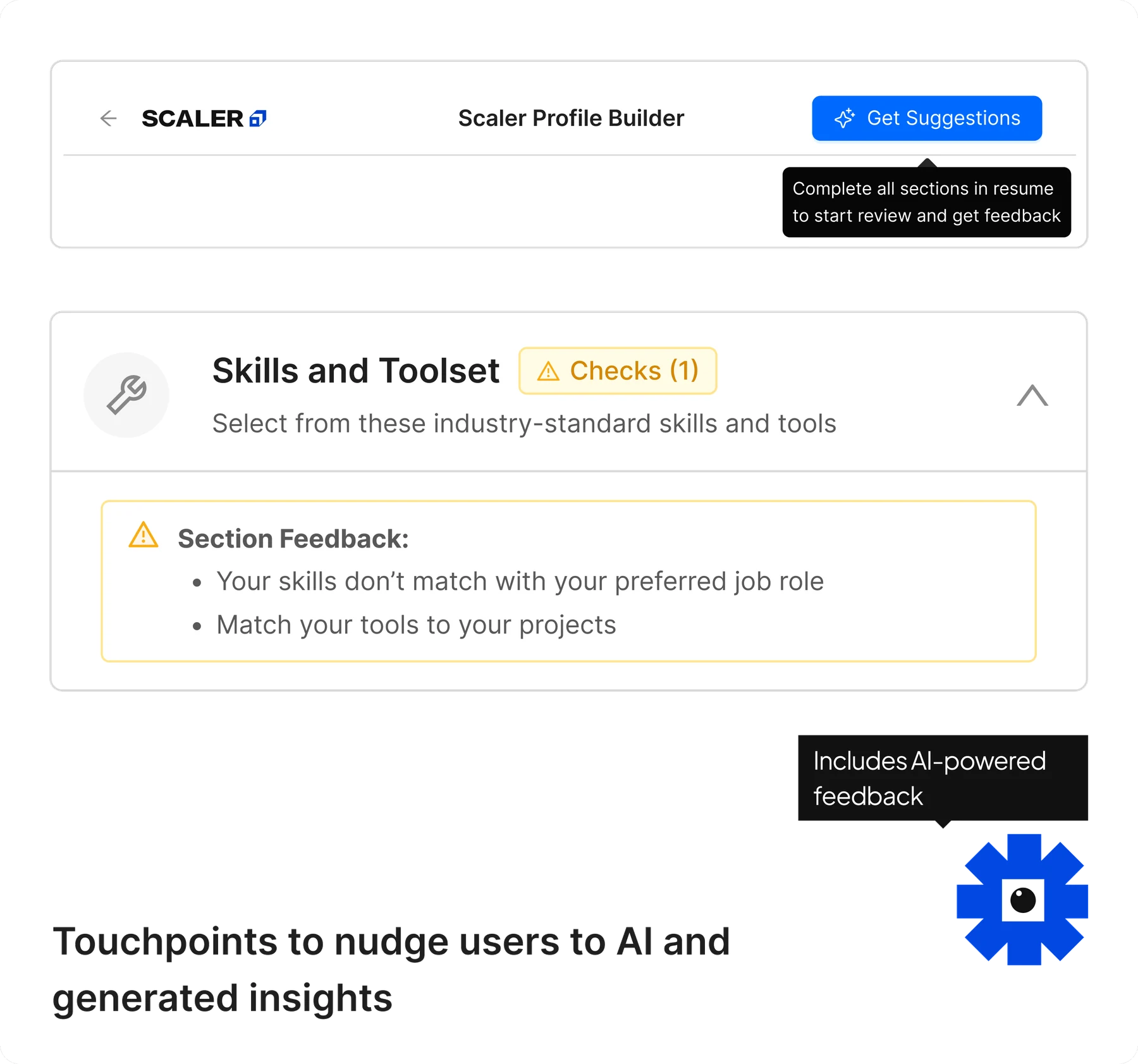
structure:
  name: resume_section_wise_feedback
  parameters:
    overall_resume_score: 1-3
      # 3 only if every section scored 3;
      # 1 if work_experience AND projects
      #   both scored 1
    section_scores:
      accuracy_and_presentation: 1-3
      skills: 1-3
      work_experience: 1-3
      projects: 1-3
    section_feedback:
      # 1-3 actionable items per section,
      #   each must justify the score

scoring_discipline:
  - "Start every section at 2, move to 3
     or 1 only when explicit conditions
     are met."
  - "Never award a 3 to be encouraging;
     encouragement belongs in the feedback
     wording, never the score."
  - "When torn between two scores, always
     assign the lower one."
  - "Final audit: re-check every section
     scored 3; downgrade to 2 if you
     can't point to explicit evidence for
     every condition."

skills_scoring:
  - "A skill counts as 'backed' only if
     you can quote the specific resume
     line that demonstrates it."
  - "Skill suggestions constrained to an
     approved list of ~140 real
     technologies; cannot suggest
     anything off-list."

parsing_awareness:
  - "Treat any trace of a link (words like
     'Link', 'Demo', 'GitHub', a URL
     fragment) as satisfying the link
     requirement; PDF parsing often
     loses real hyperlinks, don't penalize
     for that."
Thresholds live in the prompt above. If parsing fails it asks for a retry and shows generic tips meanwhile, so nothing dead-ends.
Feedback accuracy was validated by the PM at release, independent of design.
Why a score needed an explanation
A finished resume still felt unverified.
Give feedback section by section.
Show “under review” when the answer was not ready.
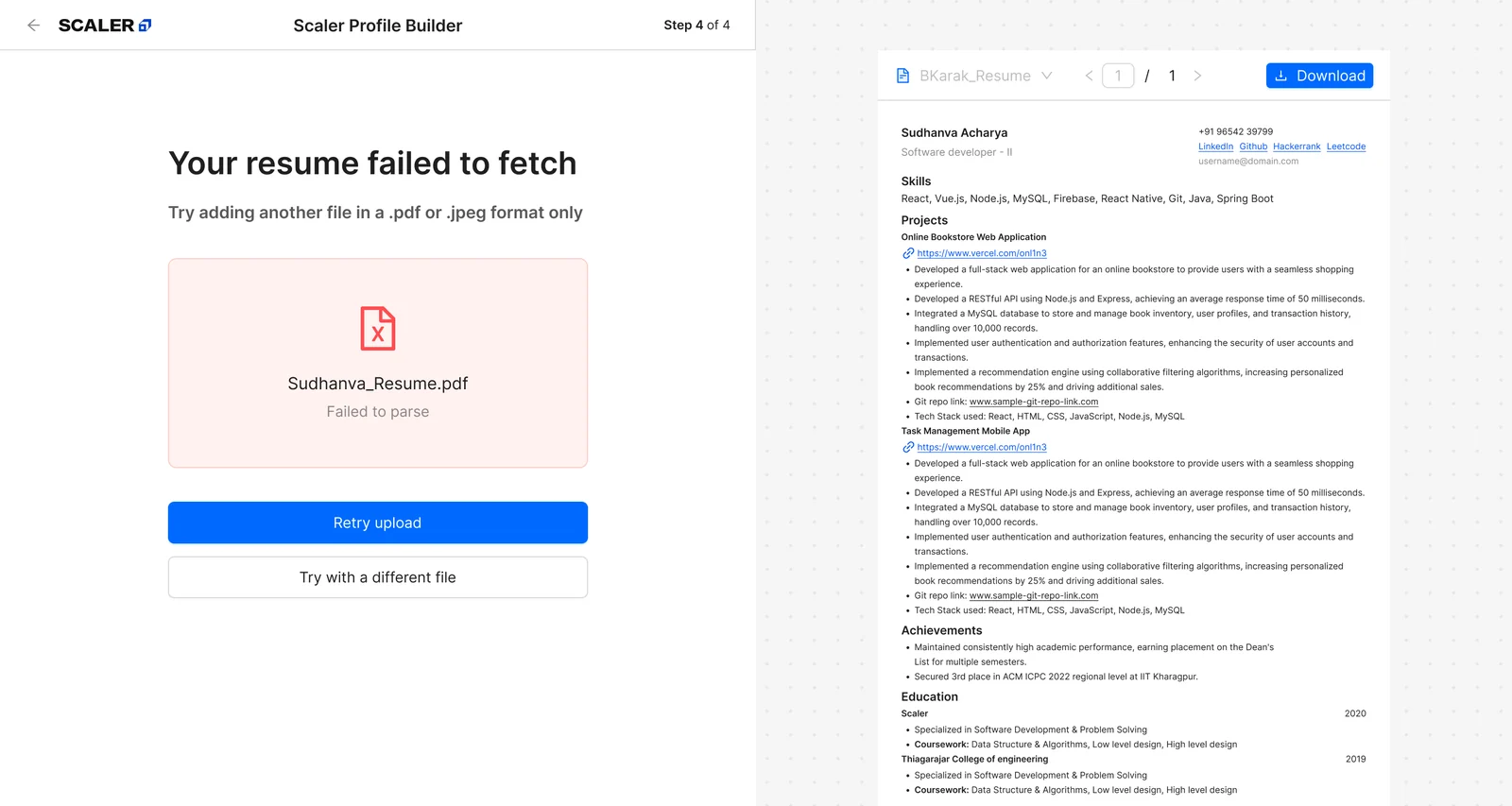
What moved after we shipped
Product usage only; hiring also depends on employers.
A 50/50 split for 10 days on 4,000 learners, 2,000 to each bucket, then scaled to everyone. Weekly figures are normalized from those 10 days.
The two headline numbers differ: 35.5 → 84 is output, 2.33% → 9.5% is the share who finished. Output can also rise when more learners enter.
uploads read correctly, up from 77%
learners started by uploading, up from 207
resumes built each week, up from 35.5
completed the resume flow, up from 2.33%
What I would carry forward
Discoverability and completion looked like two problems. The funnel showed one journey.
Reuse existing information to deliver value sooner.
Place feedback beside the work it explains.
What this does not prove yet
- We measured resumes built and completed, not interviews or offers.
- Weekly figures are normalized from a 10-day split, not a full week measured on its own.
- Next: track shortlist rates for the learners who used the AI review.
