One dashboard, four audiences
The work at a glance
- My role
- Product designer
- Scope
- One dashboard · admin and learner tools apart
- Built with
- Claude Code, end to end
How it came together
-
01
Took a shared idea from Claude to a written plan.
-
02
Made the design decisions in code, not Figma.
-
03
Pushed past the default and split admin from learner tools.
-
04
Handed off with Figma as the export step.
I made the design decisions in code
Take on the frontend, give threads an ending, then split the screen by role.
Everything past the text box
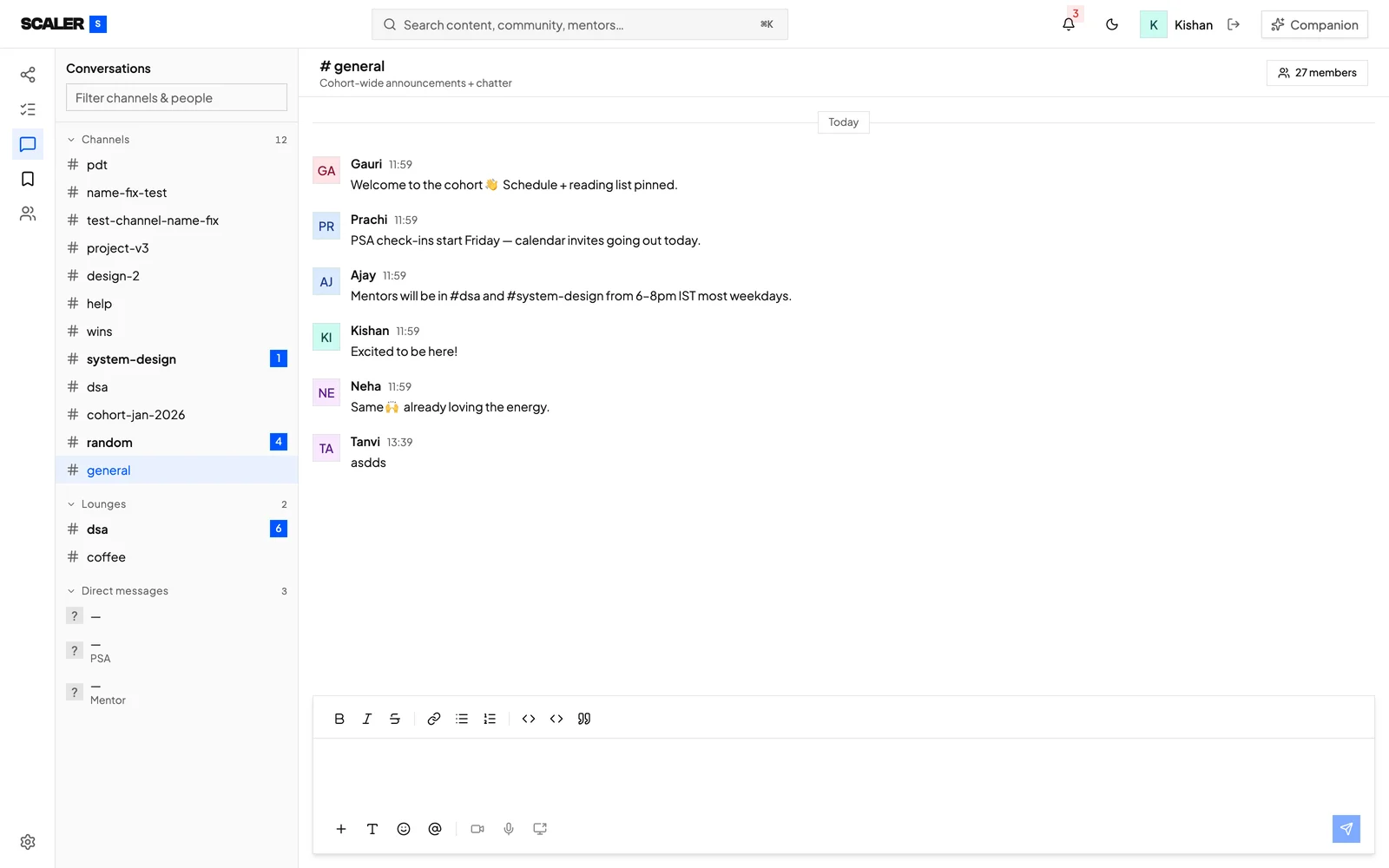
A Slack-style dashboard for students, instructors and TAs, with no engineering capacity. My co-designer built the backend, I built the frontend. Past a text box, nothing came unasked.
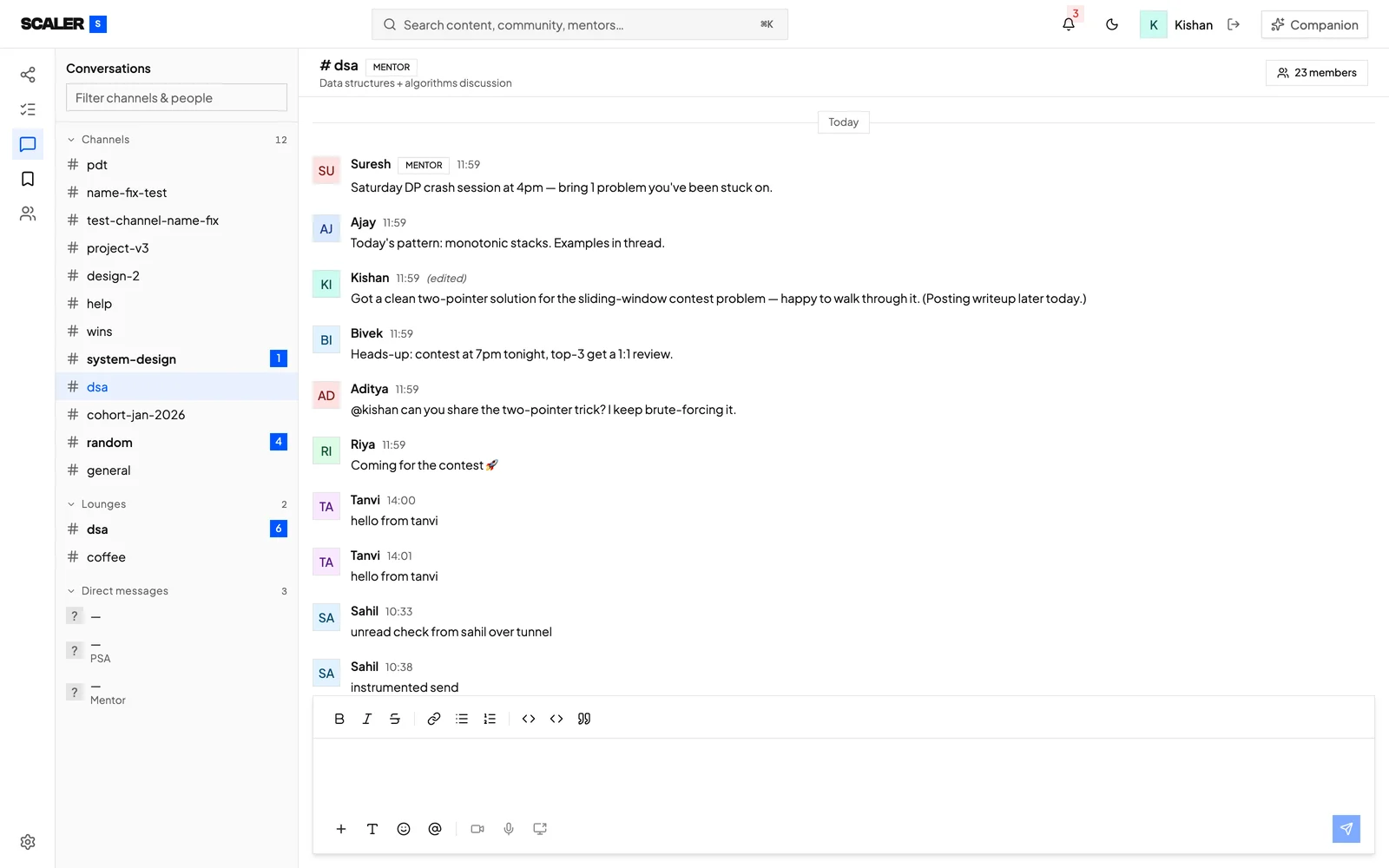
Where the feature set landed. Formatting, attachments, emoji and mentions working, with the last three built but switched off.
A reply box that cannot reply
Claude left every channel open forever, so students could message TAs long after a thread ended. Threads now close with their mentor.
But the screen still offers a reply box, so the refusal lands as silence. I found that only by using the app.
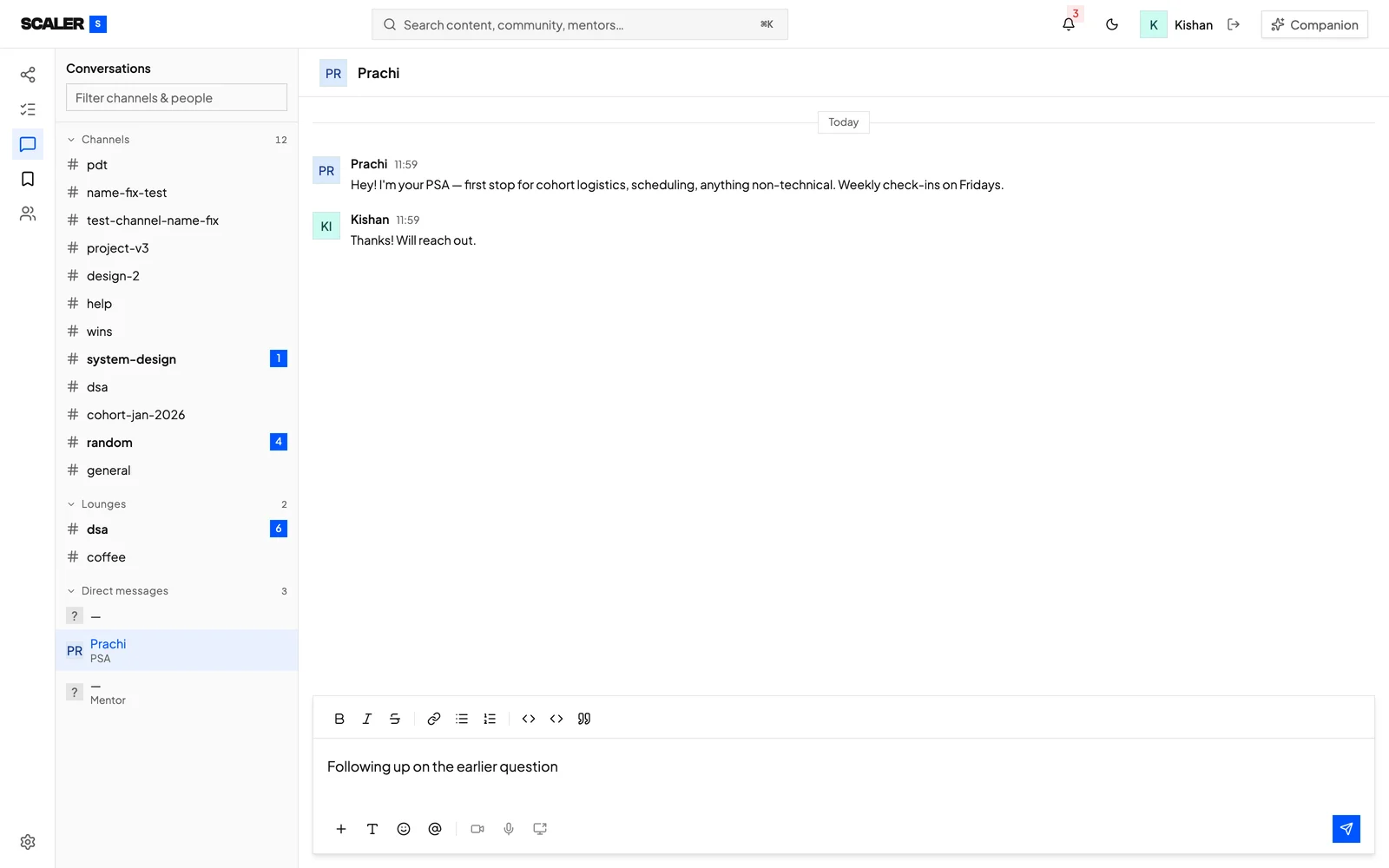
The gap itself. The server has closed this thread and refuses the reply, but the box still invites one.
Two views of the same channel
Admin and learner views, because running a channel needs different tools than joining one. It tells developers what stays shared and what must differ.
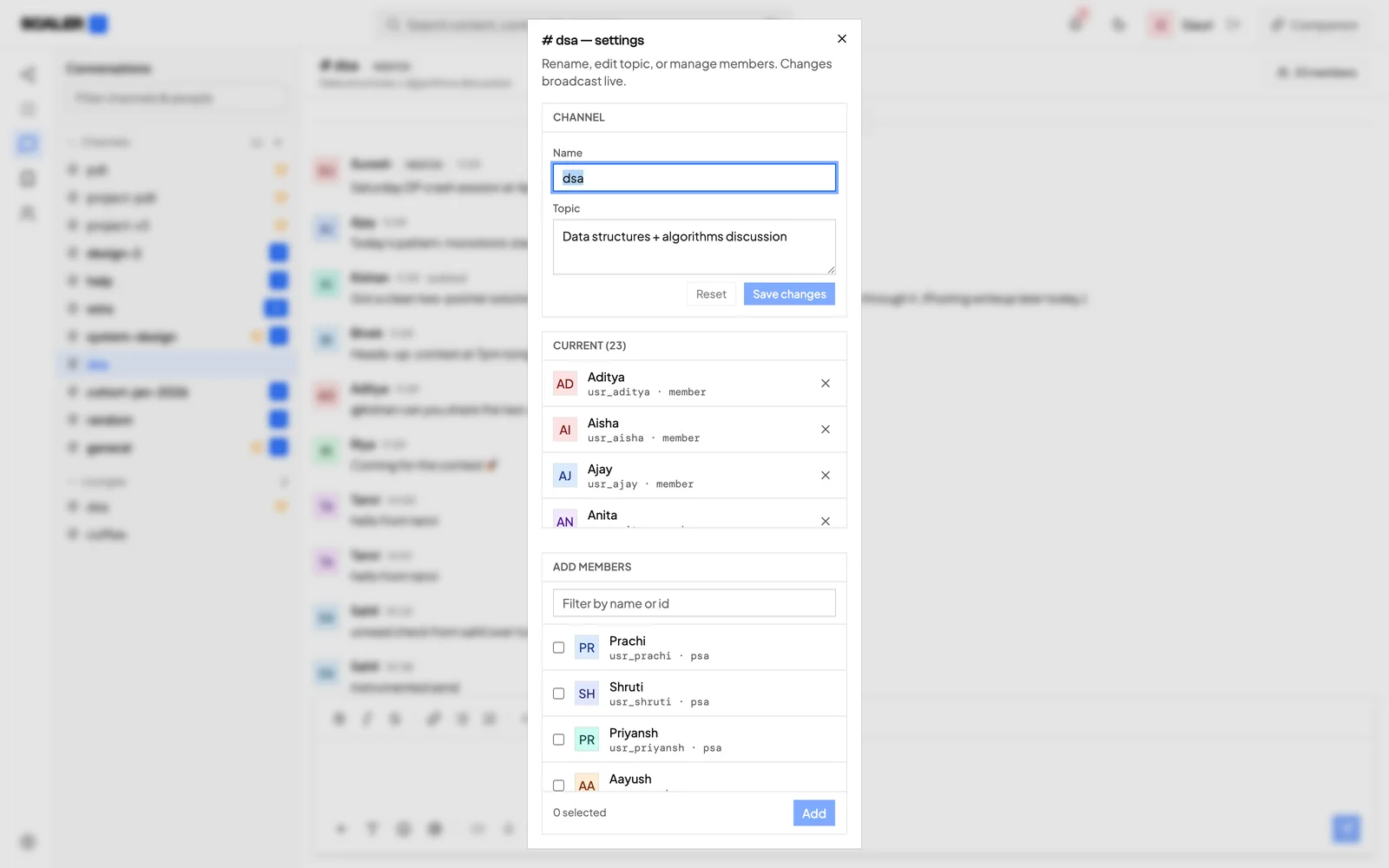
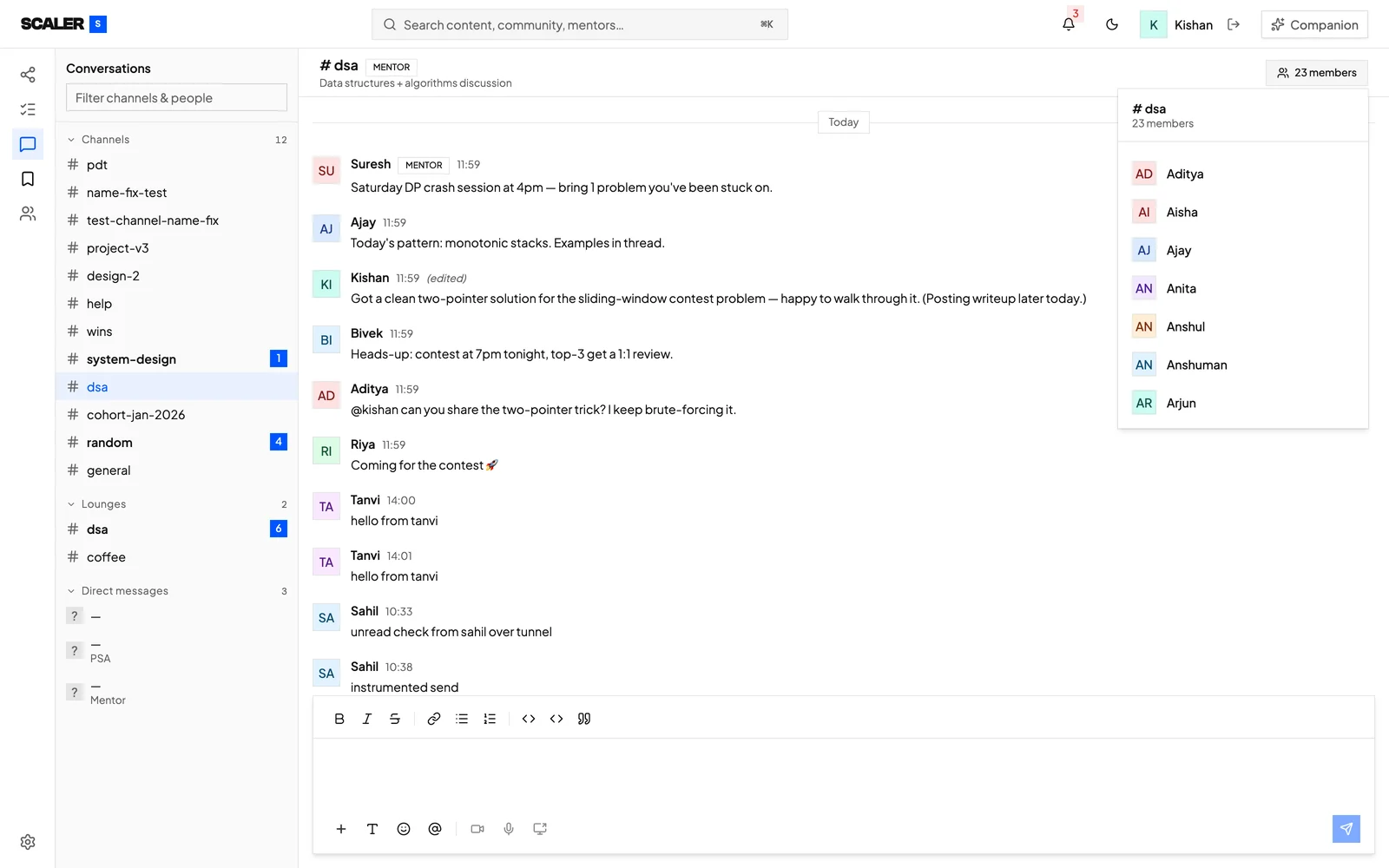
The same channel, both roles. The admin renames it and manages people; the learner only sees who is in it. The control is not greyed out, it is absent.
Captured from a local build, so the channel list still holds test channels and stray debug messages.
Four accounts in one room
A build that works for one signed-in user is not a discussion platform. The test was four people posting at once, and the table underneath.
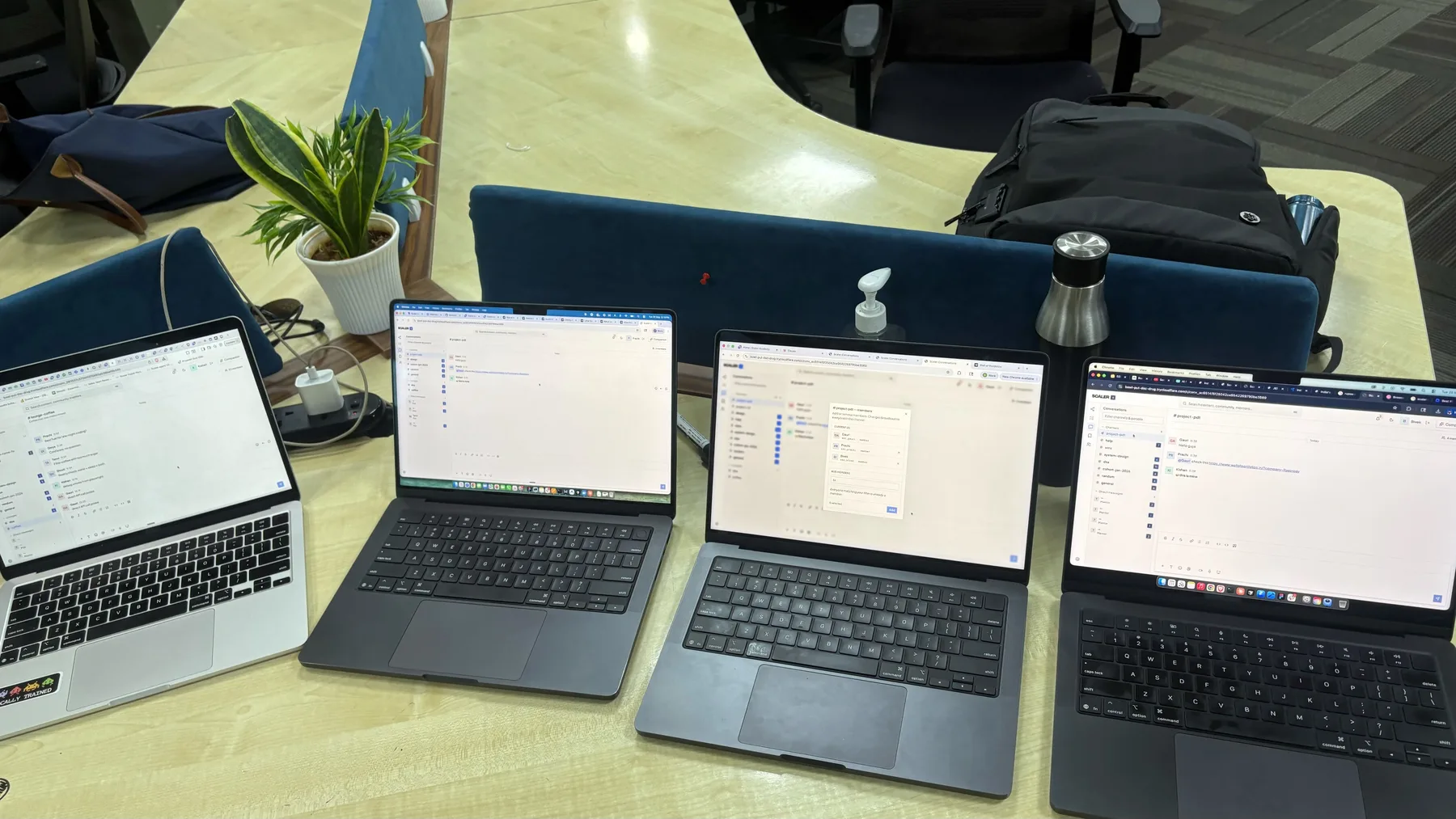
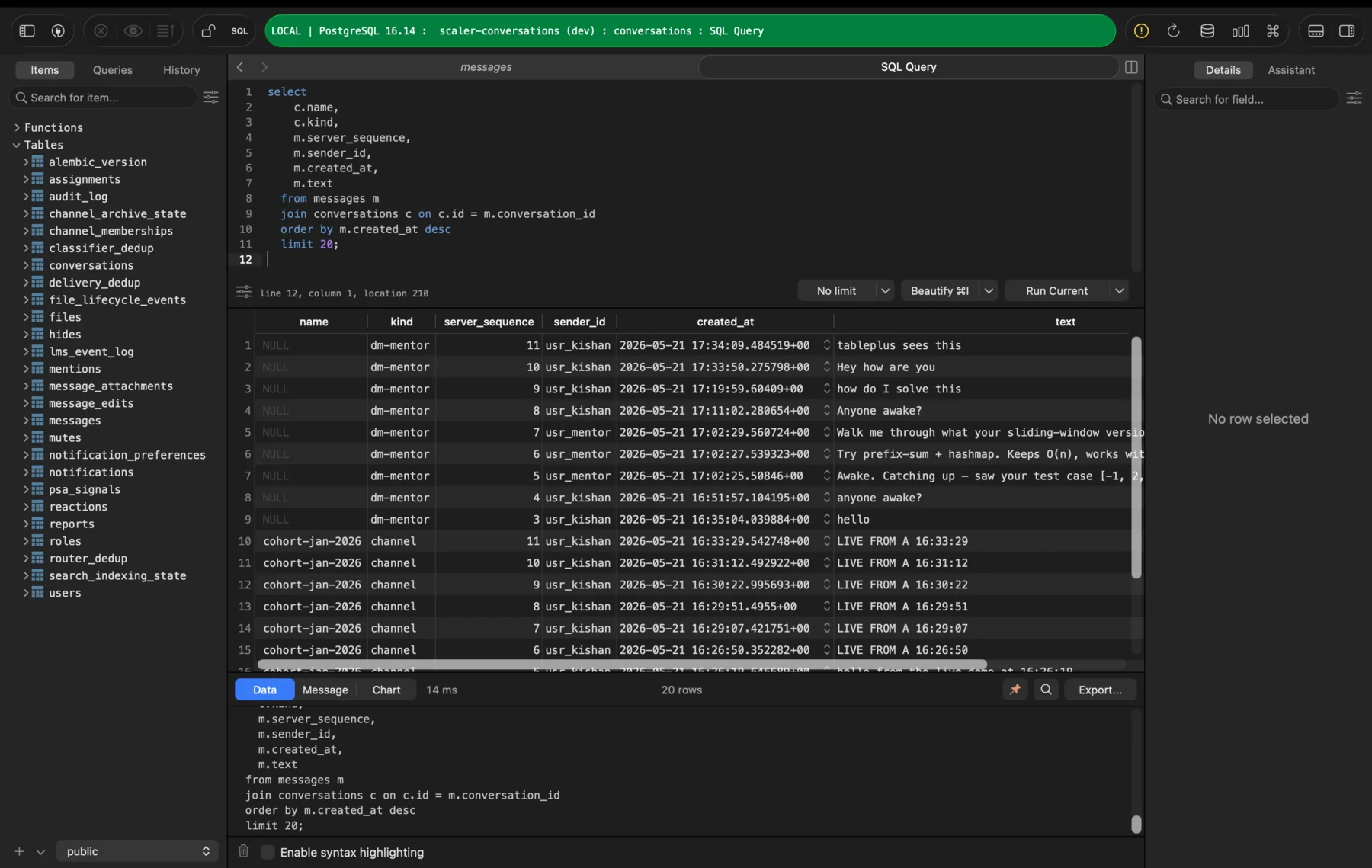
Four accounts in one channel is the only way to see whether a message reaches the other three, and whether an admin’s changes land for everyone.
The same session from underneath. Every message carries its channel, sender and sequence, so ordering could be checked rather than assumed.
What this entry was testing
How far past a first draft can careful prompting push a model?
Depth was never the default. Every feature past the basics had to be asked for by name.
What does it cost to learn the tools while shipping with them?
Every architectural call was one I was making for the first time.
Can you design who is allowed to do what before any of it has a screen?
Partly. The split is real and enforced, but flagging and archiving work underneath with no controls yet.
Where do the server and the screen stop agreeing?
Closed threads and archived channels are both enforced by the server and invisible on screen. That is the handover note.